

Apps that make Retirement more Interesting (and Affordable)
For me, semi-retirement is a chance to fill life with interesting pursuits — travel, outings, trying new restaurants and exploring parts of Melbourne and the world I’ve never visited before.
But I also want to live within my means.
Over time, I’ve discovered a handful of smartphone apps that help me discover new places, organise travel, save money and even choose a better bottle of wine.
These are the apps on my phone that get a regular workout.

Best Apps for Exploring and Getting Around
Google Maps – your pocket guide to exploration
We’d be lost without Google Maps. But the app does more than alert us where to turn. It’s a tool to ensure you always have interesting places to turn to.
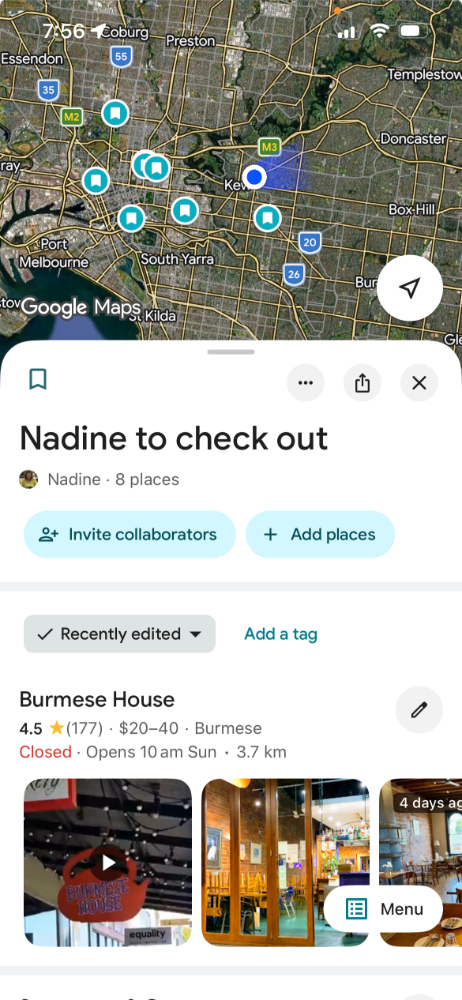
The “Save” tab
Ideas for places to visit come from everywhere: friends, articles and websites like Seniors in Melbourne.
When someone suggests somewhere interesting, I look it up on Google Maps. I can see reviews, photos and the business website.
If it looks good, click SAVE.
The app then asks where I want to store it. I can add it to an existing list or create a new one.
My lists include:
- Outings with Grandkids
- Places to Take Overseas Visitors
- Cafés to Try
If I’m planning to explore a suburb, regional town or overseas destination, I create a list under that location’s name.
To retrieve ideas later, click YOU at the bottom of the screen to see all your saved places.
Petrol Tip: save 20–30 cents per litre
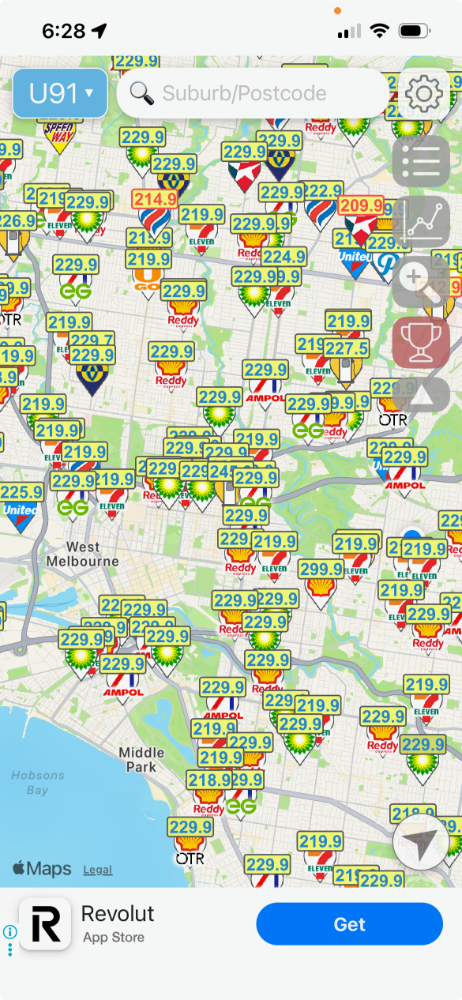
With petrol prices soaring, try typing “petrol” into Google Maps.
It shows nearby petrol stations and their current fuel prices.
Savings are often 20–30 cents per litre, which can mean over $20 on a single fill-up for a larger vehicle.
The most-downloaded petrol-saving app is Petrol Spy Australia.
Your Driver’s Licence — now on your phone
Last year I lost my licence. Not because of demerit points — someone stole my wallet.
I quickly realised how important a driver’s licence is in everyday life. It’s often needed to collect parcels, identify oneself at a bank or check into a hotel.
A replacement licence costs about $55, so I was relieved to discover that since April 2025, Victorians can use a digital driver’s licence at least while they are inside Victoria.
You can download it for free through the Service Victoria or VicRoads apps. (I found VicRoads the easiest.)
Other cards worth keeping digitally include:
- Medicare card (via the myGov app)
- credit or debit cards (Apple Wallet or Google Wallet)
- loyalty and rewards cards
Digital cards are generally more secure than physical ones, protected by face recognition or passcodes.
The Victorian Seniors Card is now also available digitally through the Service Victoria app. Instructions
For our guide on Senior Card Discounts, click here. Many of the discounts will surprise you. Such as Uber: 50% off your first 5 completed trips for new users and 5% off all completed trips.

Uber – independence when transport falls through
Most of the time I drive or use public transport. But it’s worth having a ride-share app like Uber (or DiDi locally) on your phone just in case.
I discovered this while travelling.
I was in Denver and had left the city while it was still light. Unfortunately, my next bus connection wasn’t for 40 minutes, it was getting dark, and the neighbourhood didn’t feel safe.
So I opened the Uber app.
Within minutes, a car was on its way.
Ride-share apps show the driver’s name, the car registration and the estimated arrival time. For travellers — especially those travelling alone — that added sense of security can be invaluable.
They also help maintain independence if you temporarily can’t drive, such as after surgery.
You can also share your trip in real time with a family member or friend, adding another layer of safety when travelling alone.
Best Apps for Getting Organised
Getting organised (without the stress)
If you’re like me — someone who would love to be organised but rarely is — you’ve probably tried plenty of productivity apps.
Apps like Todoist, Evernote and Google Keep all work well.
The problem isn’t writing lists.
The problem is looking at them and actually doing the tasks.
The app I use now is Things 3 (Apple-only, with a free trial).
What I like most is its clean, uncluttered design. Everything is in one place.
Even better, after the trial it’s a one-off purchase, not a subscription.
Capturing ideas before you forget them
One feature I particularly like is how easily it captures ideas.
If someone emails me about an activity or task, I can forward it to my personal Things 3 email address, and it appears automatically on my master list.
It also works with Siri so can say:
“Hey Siri. In Things remind me to book my water aerobics class on Sunday.”
Everything lands in one master list where I can organise it later.
If something isn’t urgent, I move it to a Someday list so it’s recorded but not cluttering my headspace.
Best Apps for Eating Out for Less
Melbourne has one of the world’s great food scenes. But dining out regularly can add up.
Fortunately, several apps make it possible to enjoy great restaurants at much lower prices.
First Table – half-price dining
First Table requires at least two diners and usually charges a small booking fee (around $10). Bookings are in non-busy periods, making it perfect for pre-theatre dining or for those who like to eat early.
Each diner must order a full-priced drink, but the entire food menu is 50% off.
It’s a great way to try excellent restaurants at a reasonable price.
A few I’ve tried:
- The Green Man’s Arms in Carlton
- Dolly at the Le Méridien Hotel
- Lollo at the W Hotel
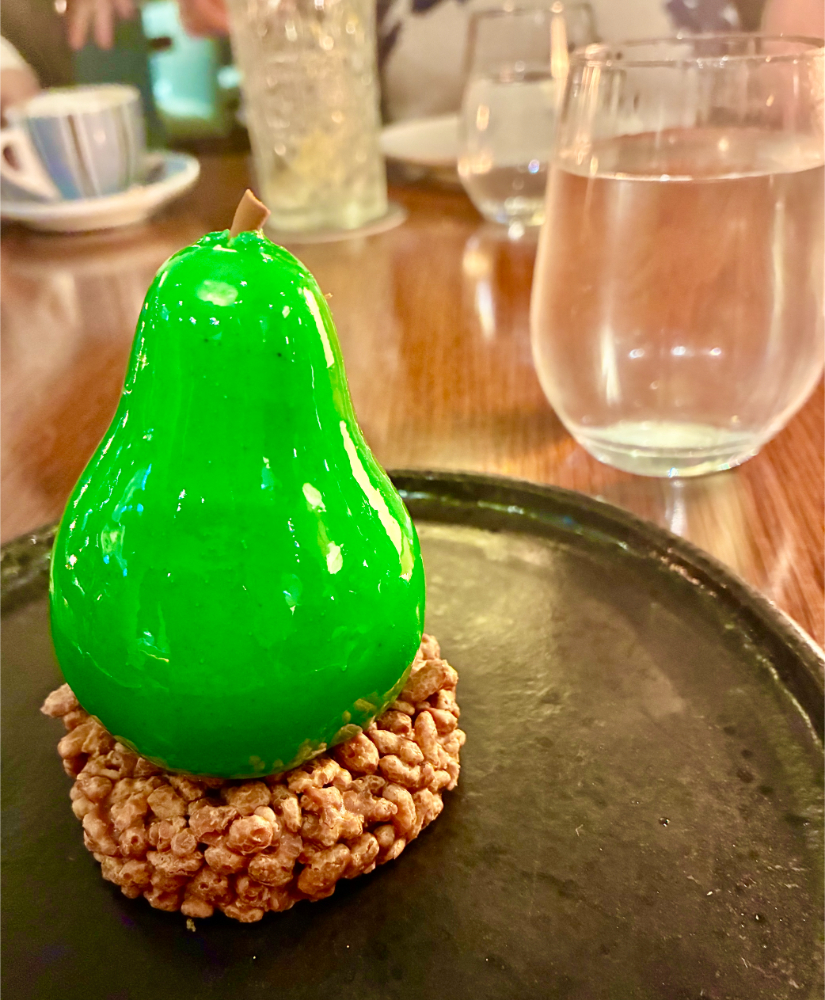
Recently, a group of four of us tried Allegro at the Westin — one of Melbourne’s fancier hotels.
The meal and service were excellent, and the desserts memorable.
Read more: First Table: How to Get 50% Off Restaurant Meals in Melbourne

EatClub – perfect for solo diners
EatClub works for one person or small groups.
Discounts range from 20–50% off the total bill, including ALL food and drinks.
There’s no booking fee, and it can also be used for takeaway.
One evening, I went to the cinema to see Signorina Little Miss. Afterwards, I craved Italian pasta.
Using EatClub, I searched for the nearest Italian restaurant offering takeaway.
I placed the order on the app, and by the time I drove 15 minutes, a steaming bowl of beef ragu pasta was awaiting me.
Sometimes I use it when dining with friends too, often at favourites like Tran Tran in Richmond or after a movie at Vaporetto (Hawthorn) next to the Lido. Even popular restaurants have their quiet times with spots to fill.

Best Apps for Shopping Smarter
Zyft – scan before you buy
Zyft is a barcode scanner and price-comparison app.
Scan an item, and it shows where to buy it at the lowest price from groceries to whitegoods.
With the cost of living rising, this little tool can quietly save a lot over time.
For example, when I searched for my daily Caltrate Calcium and Vitamin D supplement, prices ranged from $39.99 down to $14.99.
Some retailers, such as Chemist Warehouse, will also price match competitors, so having the price comparison visible on your phone helps during negotiations.
Best Apps for Food and Wine Discoveries
Choosing better wine (without being an expert)
“Life is too short to drink bad wine.”
I’m a member of the Wine Guild Victoria. This social group organises wine events and trips to wine regions, such as this trip to the Grampians.
With a piqued interest in wine, I began listening to the podcast Wine with Meg and Mel, where Meg Brodtmann, Australia’s first female Master of Wine, mentioned the Vivino app.
I’ve used it ever since.
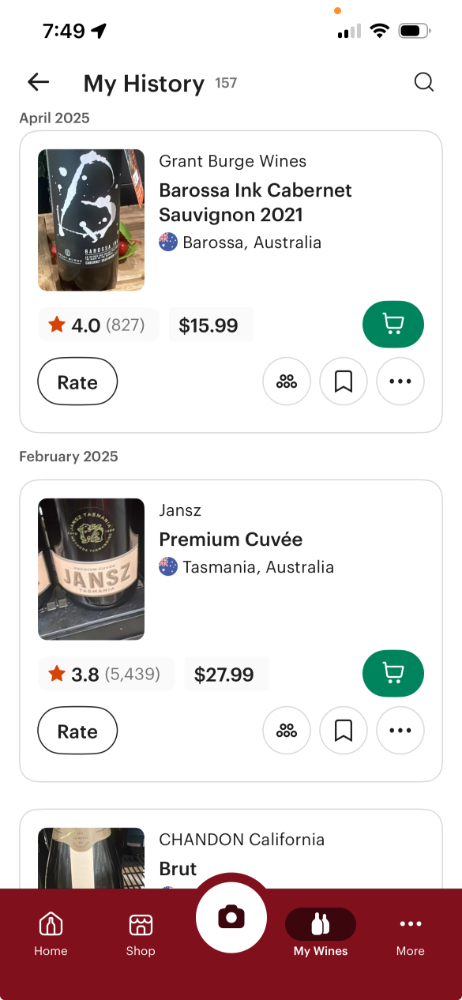
Vivino lists most wines and scores them based on reviews from wine lovers around the world.
What I’ve discovered is that price doesn’t necessarily equal quality.
Some $120 bottles disappoint, while a $12 bottle can surprise you.
In wine shops, you take a photo of the label, and the app shows the rating.
Meg suggests aiming for a score close to 4.0.
At the moment, my go-to is a Truly Wildly Heathcote Shiraz (3.7) from Aldi for $11.99.
Finding better recipes
As with wine, life is too short to eat boring food.
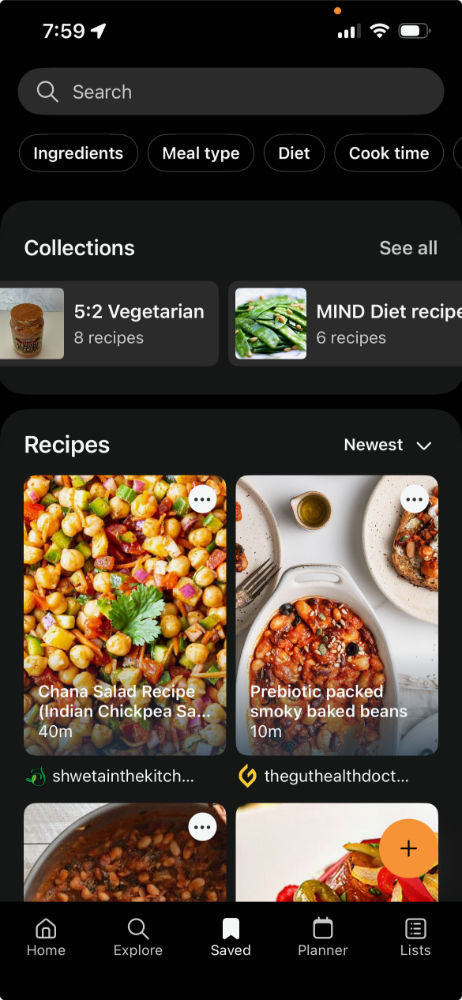
That’s why I like the Samsung Food app.
It allows you to save recipes from anywhere on the web and store them in one place.
With millions of users, it also has a large recipe library. There are groups for:
- vegan cooking
- keto recipes
- gluten-free meals, etc.
The app even generates shopping lists from recipes.
You can also tell it what ingredients you already have, and it suggests recipes. That reduces food waste while adding variety.
I use the free version.
Best Apps for Keeping the Brain Active
Duolingo – a workout for the brain
Many people track their steps each day, but keeping the brain active matters too.
Apps such as Lumosity, Elevate and Peak focus on brain training.
The one I use by default is Duolingo.
It teaches more than 40 languages (including Latin and Welsh) through short, game-like lessons.
I usually use it before travelling so I can learn simple phrases like:
- please/thank you
- where is the train station?
Recently, the app expanded to include maths and chess, offering even more ways to keep the mind sharp.
Think of it as a daily workout for the brain.
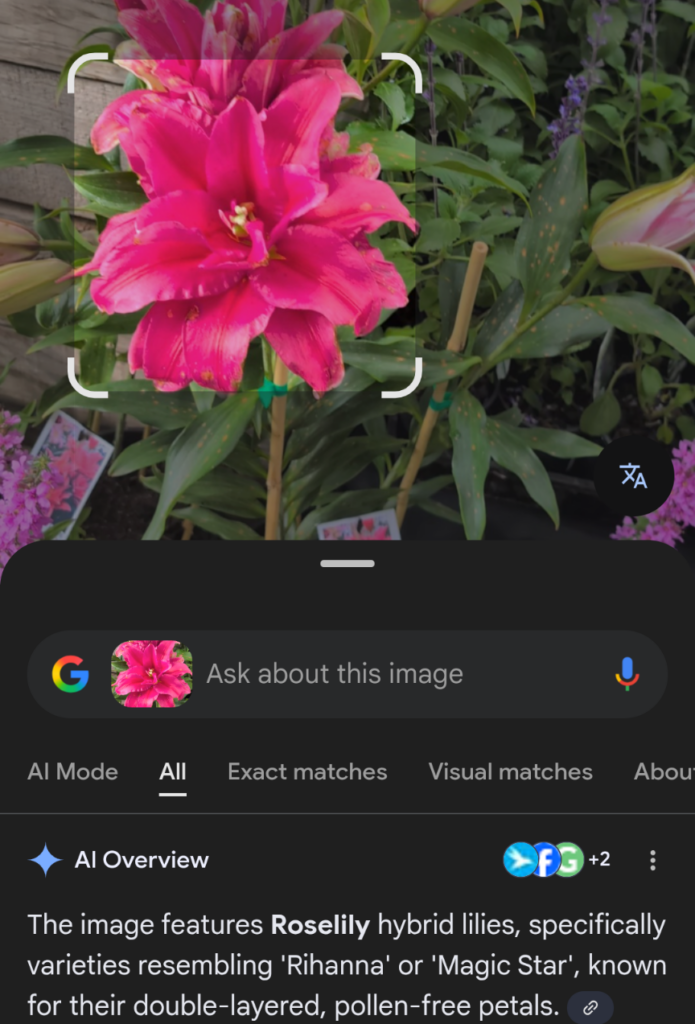
Learn about flowers and plants with Google Lens
Google Lens is a free, widely available tool—often pre-installed on Android or inside the Google/Photos apps—that identifies flowers, plants, and insects by analyzing photos taken with your camera. It provides instant information from Google, including species names, care instructions, and similar image results.
Best Apps for Travel Planning Made Simple
When Tolkien wrote “Not all those who wander are lost,” he probably didn’t imagine travel apps.
Two I find particularly useful are:
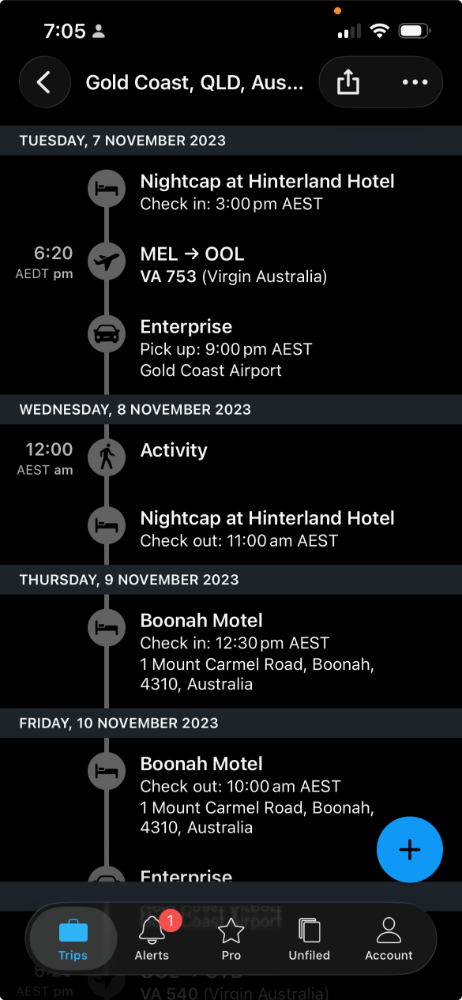
TripIt
With TripIt, you forward booking emails — flights, hotels or car rentals.
The app automatically builds a viewable itinerary.
Everything sits in one place, making it easy to see if you’ve missed booking a hotel between flights.
Wanderlog
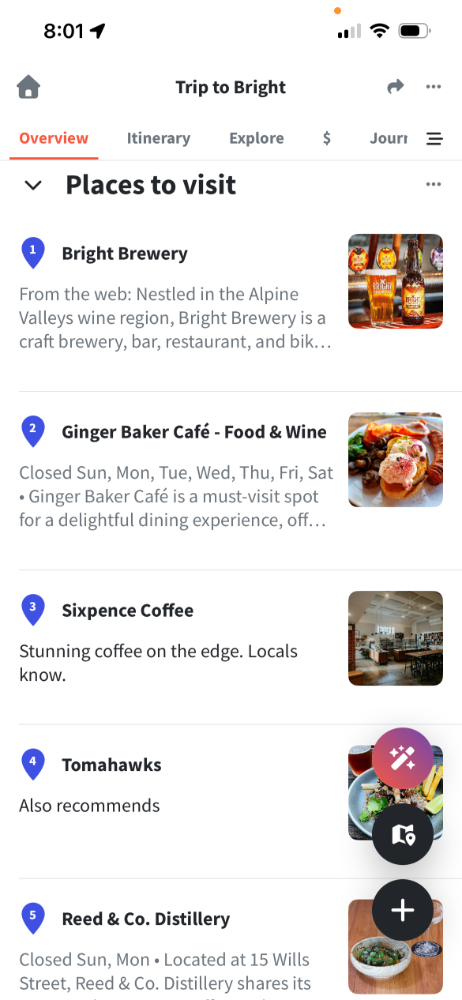
Wanderlog helps plan the details of a trip.
You can search for restaurants, attractions and accommodation and add them to your itinerary.
Everything appears on a map, helping you visualise your journey.
You can then organise each day by dragging nearby places into your schedule, and even invite travelling companions to collaborate. Perfect for road-trips.
Final thoughts
Technology sometimes gets a bad wrap for making life more complicated.
But a few carefully chosen apps can actually make life easier.
They help us discover new places, organise travel, stretch our budgets and keep our minds active.
For me, these apps aren’t about spending more time staring at my phone.
They’re about spending more time out in the world — exploring, learning and enjoying everything that makes retirement such an exciting stage of life.
Which apps get a good workout in your life? Let us know.

Heading off on your own Melbourne adventures? Join our Facebook Group and share your stories, ask questions and connect with others for further inspiration.